
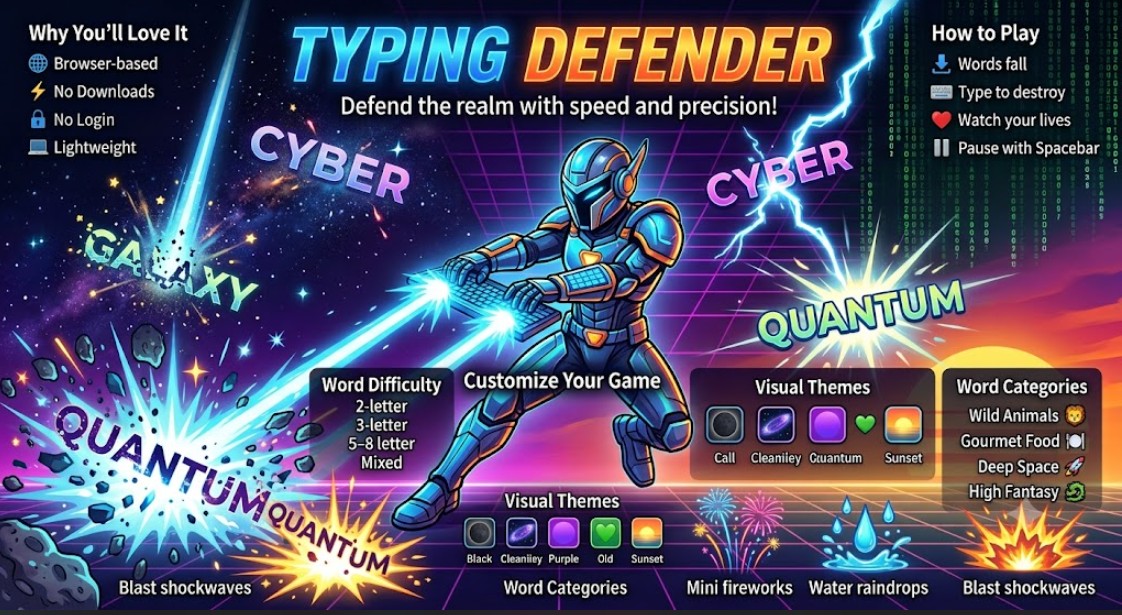
Typing Defender – Quick Start Guide
Welcome to Typing Defender, Free Online Typing Game for Students, a fast-paced browser typing game designed to improve your typing speed, accuracy, and reflexes while having fun.
Table of Contents
Why You’ll Love It
- 🌐 Play instantly in your web browser.
- ⚡ No downloads or installation required.
- 🔒 Privacy-friendly – the game runs entirely in your browser and does not collect or store your personal data.
- 💻 Lightweight and works smoothly on most modern devices.
How to Play
- ⬇️ Words fall from the top of the screen.
- ⌨️ Type each word correctly to destroy it before it reaches the ground.
- ❤️ Keep an eye on your remaining lives in the left panel.
- ⏸️ Press the Spacebar at any time to pause or resume the game.
Customize Your Game
Word Difficulty
Choose the challenge that matches your skill level:
- 2-letter words
- 3-letter words
- 5–8 letter words
- Mixed word lengths
Gameplay Settings
- 🚀 Adjust the falling speed of the words.
- 🎯 Change the spawn rate to control how frequently new words appear.
Visual Themes
Choose from five immersive themes:
- 🌑 Plain Dark
- 🌌 Galaxy Starfield
- 🟣 Retro Cyber Grid
- 💚 Matrix Digital Rain
- 🌅 Gradient Sunset
Laser Text Color
- 🎨 Pick your preferred laser text color for a personalized gameplay experience.
Word Impact Effects
Choose what happens when a word reaches the ground:
- 💥 Blast Shockwave
- 💧 Water Raindrop
- 😢 Crying Emojis
- ✨ Star Sparkles
- 🎆 Mini Fireworks
Word Categories
Practice typing with words from different themes:
- 📖 Random Core Vocabulary
- 🦁 Wild Animals
- 🍽️ Gourmet Food
- 🚀 Deep Space
- 🐉 High Fantasy
Ready to Defend?
Start with shorter words and slower speeds if you’re new, then increase the difficulty as your typing speed and accuracy improve. Good luck, and see how long you can defend the screen!